
FOMO Social for venues and organizers
Sell tickets. Run the door. Count every drink.
Set up ticket tiers with drinks included. Guests buy in the FOMO app on iPhone, show an entry QR at the door and a drinks QR at the bar. You see every sale, check-in and drink served while the night is still going.
Your account works right away. No review queue. See the app your guests use

Build the night, tier by tier.
Name it, set the time in your venue's timezone, drop a pin on the map and add a cover. Then add tiers: a price, how many, and what's included, like a welcome shot or two cocktails.
- Tiers
- A price and a quantity, or unlimited
- Perks
- Up to 10 per tier. Mark drinks as age-restricted.
- Visibility
- Public, unlisted or invite only
- Sales
- Pause or resume any tier. A tier with sales can be paused, not deleted.
- Drafts
- Save a draft, publish when ready.
Ticket prices are in US dollars.


Share one link. Guests buy in the app.
Each event gets its own link on thefomosocial.com. Shared in a chat, it shows your cover, name and date. On iPhone, it opens the FOMO app, or the App Store for anyone who doesn't have it yet.
Guests pay by card through Stripe, and the ticket lands in the app with its entry QR. Free tiers skip payment.
- Orders
- Who bought which tiers, and when
- Refunds
- Full or partial, through Stripe. They come off your revenue.
- Control
- Pause sales or cancel the event
Tickets are sold in the FOMO app on iPhone.
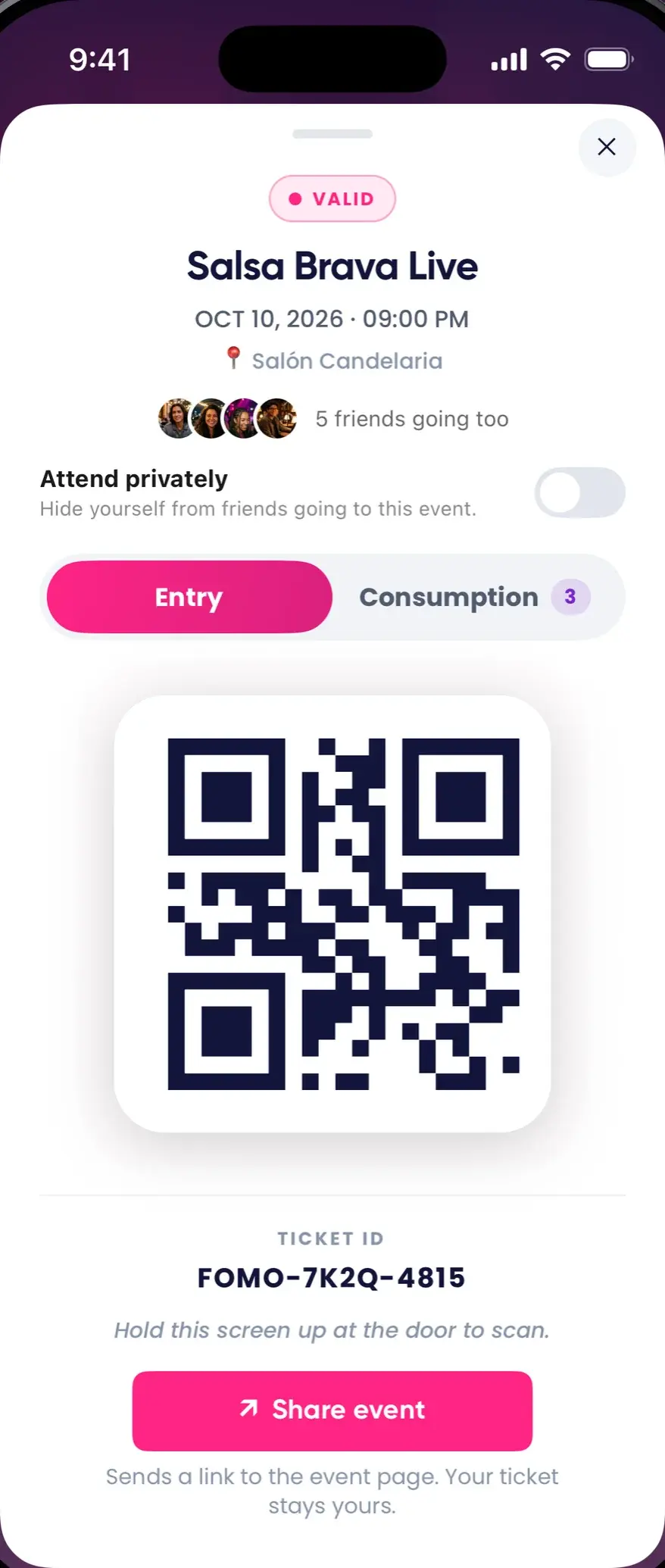


Run the door from a phone.
Your door staff open the scanner in the FOMO app on iPhone. Every scan gives a clear answer with a buzz, and the count is shared by everyone working the door.
- Lost QR
- Find the guest by name, email or ticket code
- Photo ID
- The buyer's selfie shows on scan, when the event asks for one
- No camera
- Type the code by hand
- Bad signal
- An offline banner and a retry button
- From the laptop
- Type or paste a ticket code in the console
- Checked inGeneral · 10:41 PM
- Already usedat 10:17 PM
- Wrong QRThat's the drinks QR
- Not foundSearch the guest
- InvalidNot a FOMO ticket
One count for the whole doorEvery phone on the door shares the same live count of who's in. It updates every 20 seconds. Example data
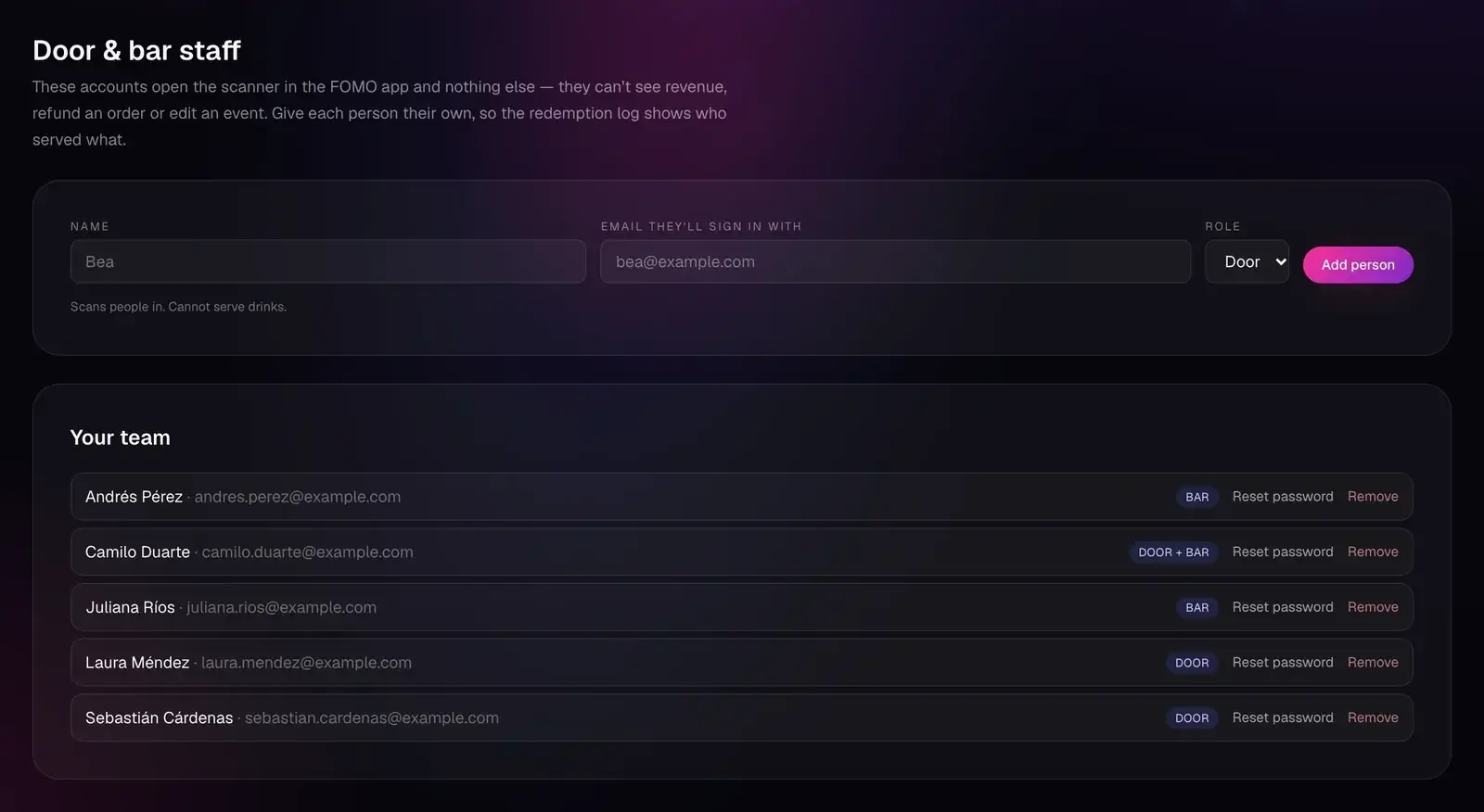
Door & bar staff
Everyone gets their own login. Nobody gets your books.
Create a login for each person on the door or the bar. FOMO generates the password and shows it to you once. Change a role or remove someone at any time.
Staff accounts open only the scanner in the FOMO app.
| Task | Door | Bar | Both | You |
|---|---|---|---|---|
| Check guests in | Yes | No | Yes | Yes |
| Pour drinks | No | Yes | Yes | Yes |
| See revenue | No | No | No | Yes |
| Refund an order | No | No | No | Yes |
| Edit an event | No | No | No | Yes |
Owner mode, in the app
On the FOMO app's sign-in screen, tap “I'm an organizer · scan tickets”, or go to Settings and tap “Switch to Event Account”.
- Your events in Tonight, Upcoming, Past and Drafts, with how much each has sold.
- A live dashboard for the night: sold against capacity, net revenue, checked in, not yet in and no-shows, and what the bar has served and has left. It refreshes every 45 seconds.
- Publish, pause a tier, share the link or cancel.
- Create an event on your phone, with a cover and a map pin.
Your staff see only published events and the scanner.
Message everyone with a ticket.
Send a push and an in-app notification to everyone holding a ticket, from the FOMO app. You can send until 24 hours after the event ends.
Pour what they paid for. Nothing more.
A ticket with drinks or perks comes with a second QR, just for the bar. Bar staff scan it, pick the item and how many, and serve. The guest's balance goes down on their phone.
- Retries
- A retry is never counted twice
- Mistakes
- Void a drink served by error
- Age
- Tiers with age-restricted drinks check age at checkout: a date of birth on file and the drinking age of the event's country, never under 18 and 21 in the US.
- Door
- The drinks QR won't open the door.
- Report
- Issued, served and left, for every perk
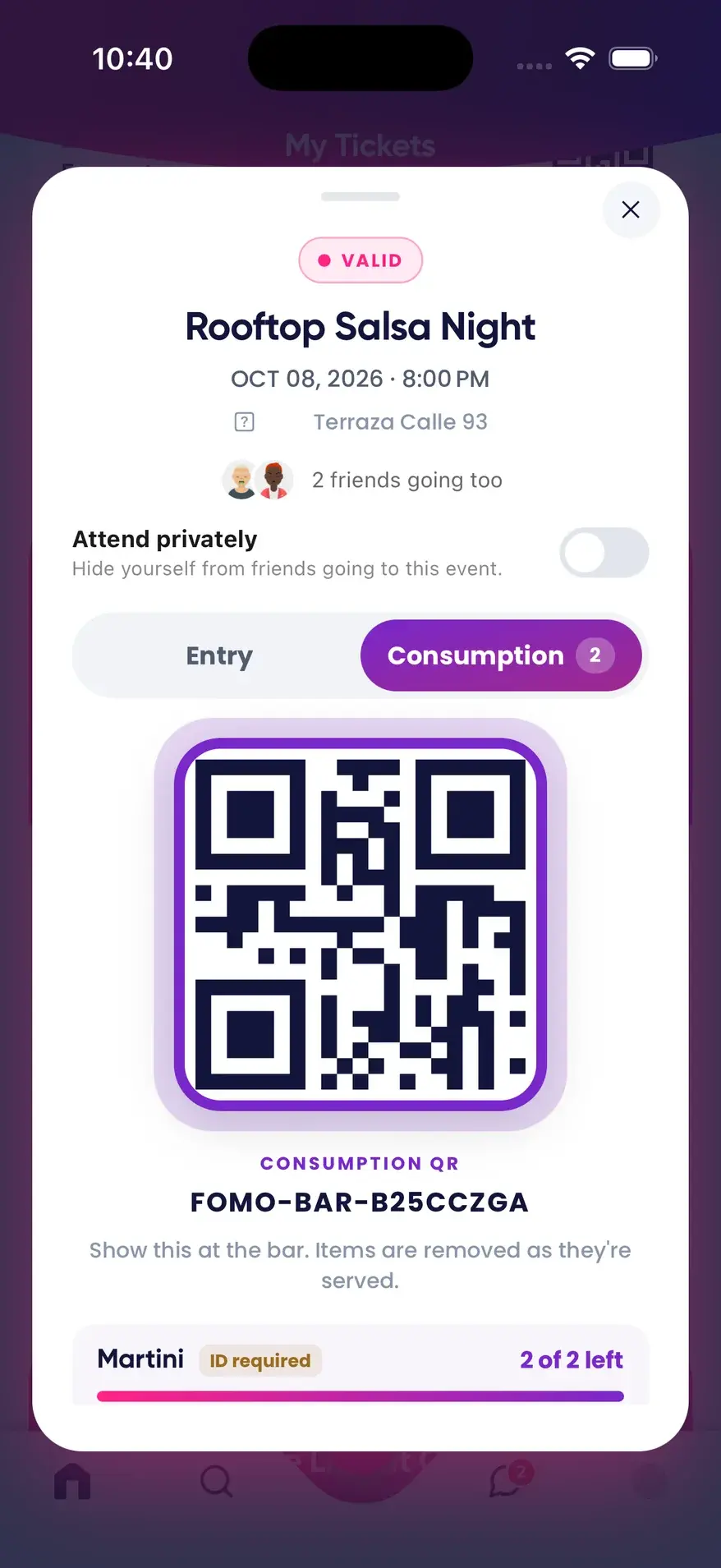
VIP Mesa includes · Example data
- PerkCocktail ×2
- PerkWelcome shot ×1
- PerkCoat check ×1
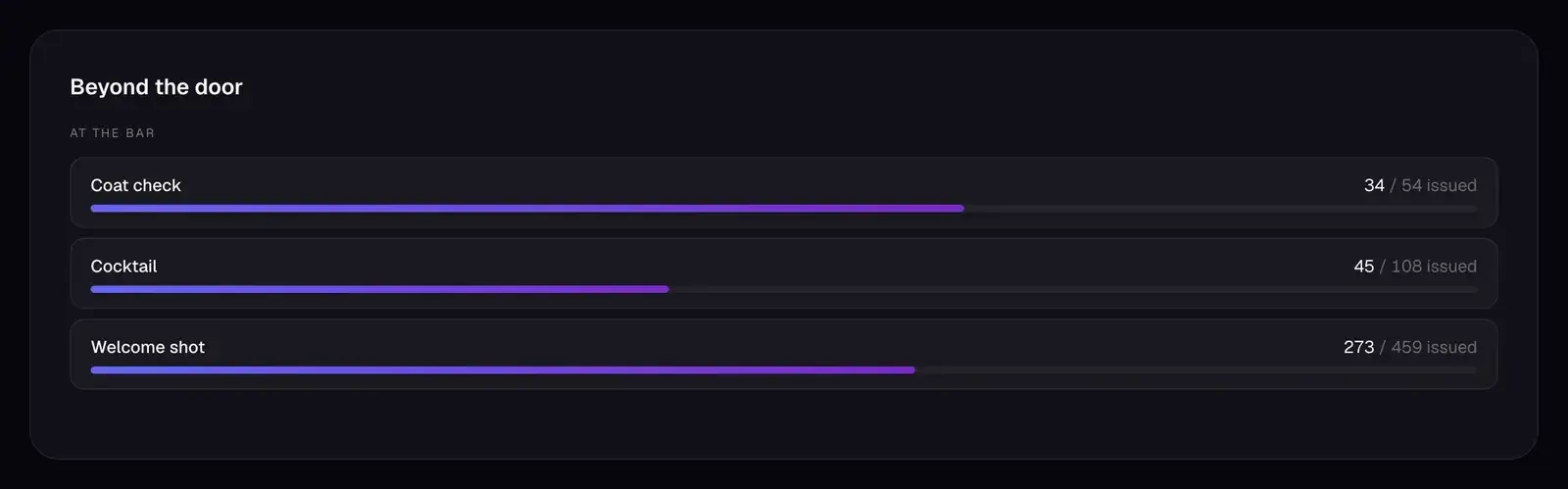
Close the night with real numbers.
Every figure comes from your box office: orders, refunds, scans at the door and drinks served at the bar. If it wasn't counted, it isn't on the sheet.
| Net revenue | $12,525 |
|---|---|
| Refunds | $100 · 2 orders |
| Checked in | 367 of 459 |
| No-shows | 92 |
| Average order | $77 |
| Tickets per order | 2.82 |
| Returning buyers | 50% |
| Drinks served | 352 of 621 |
| Net revenue | $165,028 |
|---|---|
| Tickets | 5,331 |
| Unique customers | 1,373 |
| Came back | 402 · 29% |
Also counted: sales per day with a sell-out forecast, revenue by tier, order sizes, top buyers, top events, and monthly revenue for 12 months.


Your event, your rules
Decide who gets in before the doors open.
Each event has its own settings. Set them when you create it and change them when you need to.
House rules.
- Invite only
- One link per guest, or one shareable link with a use limit. Revoke any of them. You send the links: FOMO doesn't email anyone.
- Referrals
- Buyers recommend friends at checkout. Approve one and it becomes an invite.
- Secret address
- Shown only to people with a ticket.
- Photo ID
- Buyers add a selfie and door staff see it on scan. Selfies are deleted 7 days after the event by default.
- Gifting
- Guests send tickets to friends, who accept or decline. Switch it off per event.
- Drinking age
- Tiers with age-restricted drinks sell only to buyers of drinking age in the event's country.
- Image release
- Buyers accept it at checkout.
- Free entry
- A $0 tier skips payment.
- Refunds
- Full or partial, through Stripe, from the order list.
- Chargebacks
- While a chargeback is open, the door and the bar refuse those tickets. If the dispute is won, they work again.

Campaigns & rewards
FOMO Partner: Reward the guests who post about you.
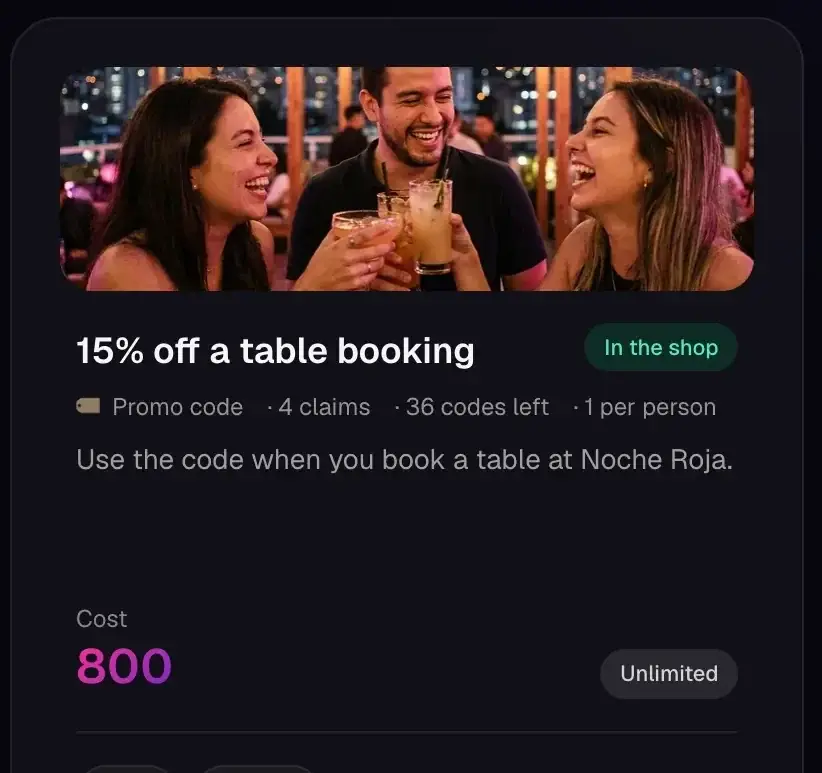
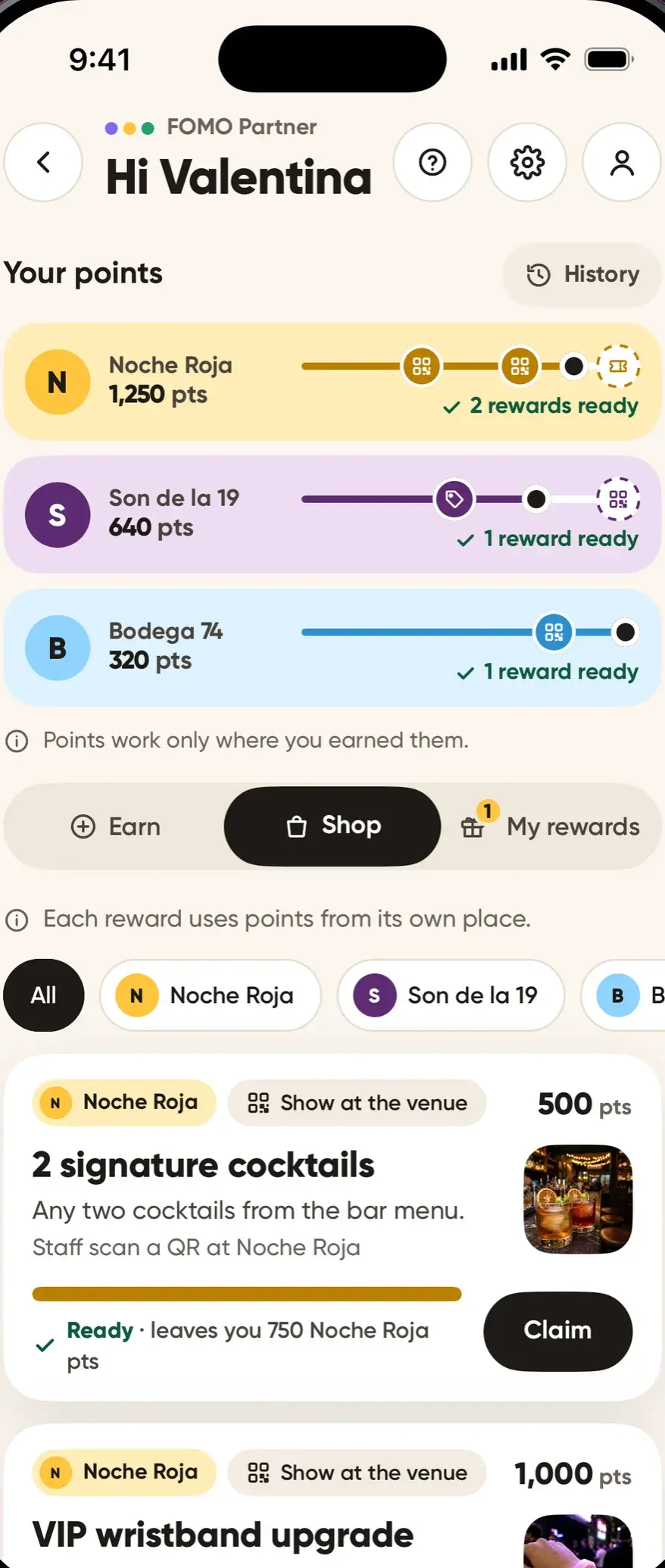
Guests post about your venue on Instagram and earn points they can only spend with you: a drink at the bar, a promo code or a free ticket to your next event.
In your console
- Points packs, bought by card through Stripe
- Campaigns with a budget, a brief and rules: an Instagram post or reel with your #hashtag or @mention, or a FOMO memory with your #hashtag
- Points per post, with caps per person
- Rewards: a QR shown at your venue, a promo code, or a free ticket to one of your events
- A claims inbox, with reward QRs your door or bar staff scan
In the guest app
- Guests join your campaigns
- They earn points for posts that follow your rules
- They spend them on your rewards
Getting started
Four steps to your first night.
Sign up
Brand name, email, password, category and website. Your account works right away.
Build
Details, a map pin, a cover and your tiers. Save a draft or publish.
Share
Post the link anywhere. Guests buy in the FOMO app on iPhone.
Staff up
Make door and bar logins. Your team signs in to the scanner in the FOMO app on iPhone.
Admit one · organizer
Open your box office.
Create your account, build your first event and share the link. Your staff run the door and the bar from the FOMO app on iPhone.